LIFT Scenarios
From $300 USD
Price does not include freight, taxes, or duties. If authorized distributors operate in your country, we recommend buying through them.
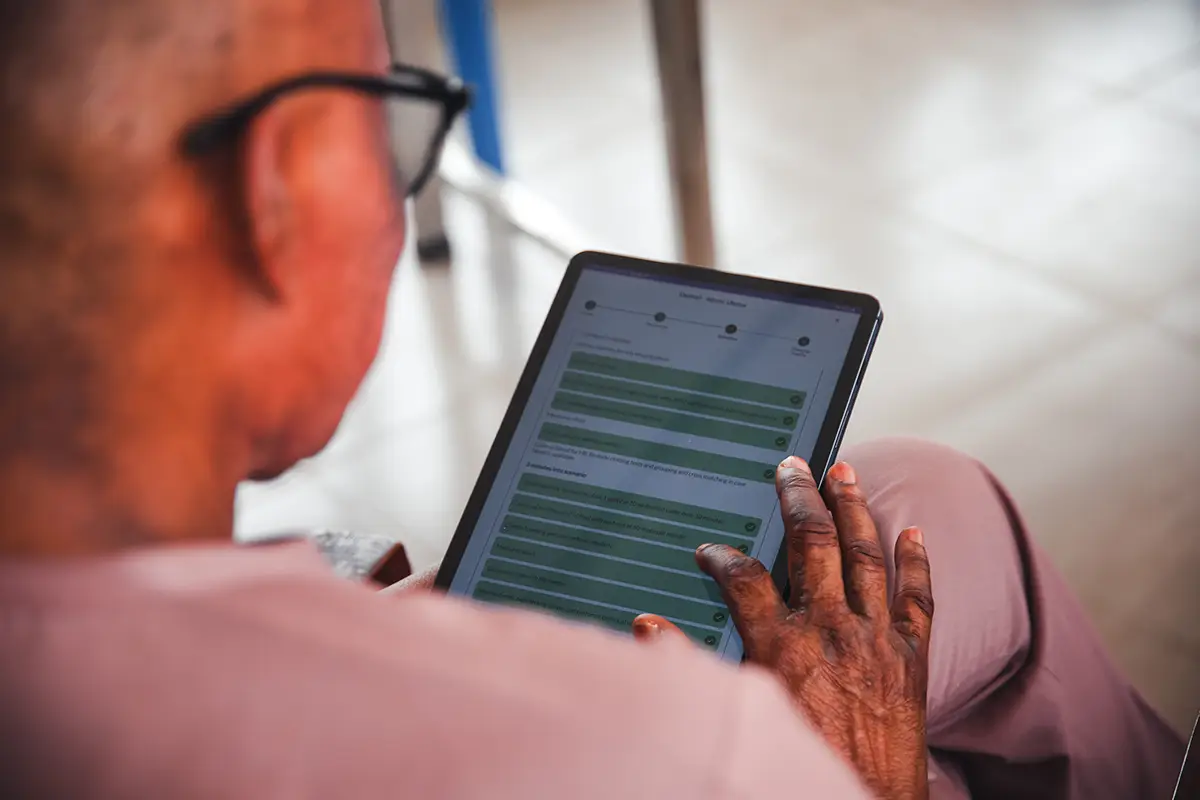
Learn moreLIFT Scenarios is an easy-to-use digital tool that supports facilitators to confidently lead high-quality simulation-based training for healthcare providers. It offers structured guidance for facilitators, through each phase of training- briefing, simulation, and debriefing – making it easier for both new and experienced trainers to deliver effective sessions. LIFT Scenarios helps institutions strengthen their training programs, in turn improving quality of care.
Why LIFT Scenarios?
Your companion for quality simulation-based training
Step-by-step guidance
Supports facilitators (novice and experts) to confidently conduct simulation training using clear, structured instructions.
Training data tracking
Monitors frequency and consistency of sessions across sites, supporting program evaluation and improvement.
Expert scenarios
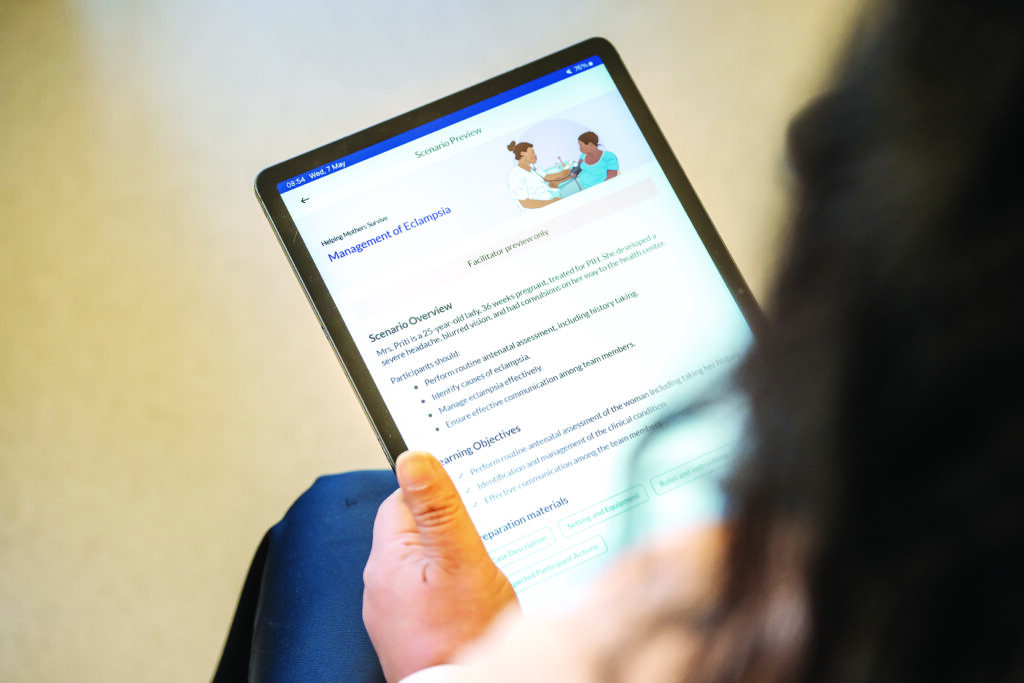
Offers a library of relevant, evidence-based scenarios (informed by the Helping Mothers and Babies Survive educational materials) developed by simulation experts—with customizations available on request.
Usability
Optimized for your environment

Mobile-friendly
Designed for Android devices, making it easy to use in a variety of healthcare settings.
Offline-ready
Enables uninterrupted training in low-connectivity environments due to being designed to work seamlessly offline.
How it works
Build competency and skills using on-the-job trainings and continuous practice
-
Select your training program based on the Helping Mothers and Babies Survive Curricula
-
Set up your training sites
-
Add learners and facilitators based on the champions and mentors selected in the region and districts.
-
Conduct simulations based on scenarios to build health worker skills and competencies
-
View securely uploaded training data displayed on dashboards and reports, for accountability, to track areas for improvements and to focus on the real needs of healthcare workers and teams.
-
Maximize mentorship time through facility level insights that allow mentors to strategically support where it is needed most.
Who can benefit?
Gain oversight, enhance training, improve care
Healthcare facilities and training institutions can use LIFT Scenarios to run realistic simulations that improve how their teams handle real emergencies and get clear data on what’s working.
Mentors and facilitators have a tool that makes their job easier. They can guide trainees through challenging scenarios and get concrete feedback on where people need more help – no more guessing what to focus on next.
Project managers and Ministries of Health get the visibility they need. They can see who has been trained, how well teams are performing, and where to spend their limited resources to make the biggest difference.
Healthcare workers and students practice high pressure, real life situations they will face. They work together as teams, make mistakes in a safe environment, and build the confidence that saves lives when it really matters.
Patients benefit most of all. They get care from healthcare workers who’ve practiced these exact situations before, who know how to work together under pressure, and who’ve learned from their mistakes without putting anyone at risk.
Pricing
Cost-effective pricing for your project
Starter
- Up to 15 sites
- Pre-defined scenarios
Standard
- Up to 50 sites
- Pre-defined scenarios
- Ability to add custom scenarios Custom scenarios carry additional cost
Don’t see your context reflected in this pricing structure?
Adaptation for specific requirements is possible. Contact us.
Testimonials
LIFT Scenarios in action
“I like LIFT Scenarios. I am able to conduct the briefing, debriefing and even document easily through the app, it just makes this so easy.”
“We can quickly see which facility did not upload data for more than a week and that prompts the regional coordinators to make a quick call or physical follow up to see what is happening.”
FAQs
Frequently asked questions
What are the capabilities of LIFT Scenarios offline or in low-connectivity areas and what devices support the tool?
LIFT Scenarios is designed to work in environments with limited or intermittent internet access. Once scenarios are downloaded to a device, users can complete training fully offline. All progress and data are securely stored locally and automatically synced to the cloud when connectivity is restored. It is advisable that when the connection is unreliable sessions are performed in offline mode.
The tool is optimized for Android devices and is compatible with smartphones and tablets that meet basic performance and storage requirements. We recommend devices with at least 2GB RAM and Android 5.0 (API 21) or higher for the best experience. We do not currently support IOS but will do so in the future.
You can find LIFT Scenarios app in the Google play store. If you cannot find the app, this is an indication that your device is incompatible.
What types of data does the tool collect, and how is this data managed, stored, and reported?
A. Data Collection: LIFT Scenarios collects the following types of personal data:
- Date of training (MM/DD/YYYY format)
- Type of training conducted
- Names of learners and facilitators
- Training performance and feedback delivered during training
- IP addresses where tool is used
B. Data Management & Storage:
- Data is stored securely in cloud services managed by Laerdal Global Health AS
- Customer maintains exclusive ownership of all collected data
- Data is transmitted to the customer’s dedicated cloud user accounts
- Storage includes appropriate technical and organizational security measures
- Data processing includes formatting, filtering, and removal of non-relevant data upon customer request.
C. Data Reporting:
- Customers receive full access to their personal data through a cloud-based management platform (Liveborn)
- All data can be viewed, downloaded, and shared by the customer
- Dedicated user account(s) per customer has administrative privileges to add other users
What privacy and security measures are in place regarding user data and compliance with regulations?
A. Regulatory Compliance:
- Full GDPR (General Data Protection Regulation) compliance
- Adherence to European Union and European Economic Area data protection laws
- Customer acts as Data Controller, Laerdal Global Health AS acts as Data Processor
B. Security Measures:
- ISO Certifications: ISO 27001 and ISO 27701 certified for information security management
- Encryption: Personal data is pseudonymized and encrypted where appropriate
- Access Controls: Personnel with data access are bound by confidentiality obligations
- Data Transfer Restrictions: No transfer of personal data outside the European Economic Area without appropriate safeguards and customer consent
- Breach Notification: Immediate notification to customers of any personal data breaches
C. Data Protection Rights:
- Support for data subject rights under GDPR (access, rectification, erasure, etc.)
- Data retention only for the duration specified in the agreement
- Secure deletion or return of data upon agreement termination
- Regular assessment and evaluation of security measure effectiveness
What support resources are available for users, including documentation and technical assistance?
We provide a comprehensive support system, including:
- A user-friendly customer support that provides onboarding assistance
- Regular training sessions for implementers
- WhatsApp and ticket-based technical support with defined SLAs
How frequently are updates provided?
App updates are done periodically to include new features, fix bugs or perform security patches
What are the pricing options, subscription plans, and purchasing processes for the tool?
LIFT Scenarios is available under flexible subscription options to meet different implementation needs (See pricing section).
Non-technical questions
For how long can I grant access to a user?
The duration for granting access depends on your specific needs.
- You can grant access for the entire project period or for a specific time range.
- For Report Reader accounts, access can be limited to a chosen time frame or the entire project period.
- However, for Data Uploader accounts, access must remain active for the entire project duration to ensure continuous syncing of session data.
Does the Super User get a notification when other users finish setting up their profile in Liveborn?
No, the Super User does not receive a notification when other users complete their profile setup.
Is it possible to update the Site name?
No, the Site Name cannot be edited once it has been created.
To avoid errors, please ensure that all site names are entered correctly during the initial setup.
If you need to add a new site, please contact the LGH Support Team for assistance.
Can I add a new site by myself as a Super User?
No, as a Super User you cannot add new sites directly.
If you require an additional site, please reach out to the LGH Support Team we will assist you in setting it up.
What is the definition of a Simulation Corner?
A Simulation Corner is a designated area set up for conducting simulation sessions and hands-on practice using Liveborn tools.
It serves as the main training environment for learners to simulate real-life clinical scenarios in a controlled setting.
We only have Apple devices and cannot access LIFT. Is that correct?
LIFT is a suite of different products, and accessibility depends on the specific component:
- Liveborn, LIFT Assessment, and LIFT Portal are web applications that can be accessed from any device via a web browser (including Apple devices).
- NeoNatalie Live is available on both Android and iOS (Apple) devices.
- LIFT Scenarios, however, is currently available only on Android devices through the Google Play Store.
When I go to “Manage Upload Site,” I cannot add a new site. Why?
The Manage Upload Site option is designed to allow you to switch between existing sites that your account has access to, not to add new ones.
An account can have access to multiple sites, but you can only upload to one site at a time.
How can I know which site I am uploading to?
You can confirm the active site in two ways:
- In Liveborn: Go to User Profile → My Permissions. This page will show your current upload site and all sites you have access to.
If you change your upload site from within Liveborn, make sure to sign out and sign in again in the app to apply the changes. - In the app: Click the menu icon (☰) at the top corner. A popup will display your signed-in account and the site you are currently uploading to.
Can I export training session data multiple times within a specific period?
Yes. The Liveborn system allows you to filter and export training session data as many times as needed. There is no limitation on the number of exports.
Who receives the LDHF reports?
The LDHF report is a weekly report shared with the project Super Users. It can also be customized and sent via email to individuals who do not have access to the Liveborn system.
Can I create groups of participants?
No. The NeoNatalie and LIFT scenarios allow participants to be added only at an individual level. However, for group sessions, you can select multiple individual participants to take part in the same session as a group instead of having static groups.
Is it possible to delete a session in NeoNatalie Live?
No. Once a session is completed, it cannot be deleted.
Can I change a site name if there is a typo?
Yes. Site names can be changed. Please contact the support team, and we will assist you with the update.
Do I need to create an account for each participant?
No. You only need one Data Uploader account per site or simulation corner. Participants are then added under that account.
If I lose my password or Super User role, can I reset it myself?
A Super User cannot lose their role because Super Users do not manage other Super Users. However, if you forget your password for any user role, the Liveborn system provides a password reset feature that allows you to recover access.
Does the Data Uploader need to sign in every time a session is conducted?
No. The Data Uploader account only needs to be signed in once and can remain active for ongoing use. This allows anyone conducting practice sessions to use the application without repeated logins. For this reason, we recommend having at least one dedicated tablet per site or simulation corner.
Additional information
| Package | Starter – Up to 15 sites, Standard – Up to 50 sites, Expanded – Up to 100 sites |
|---|